Why Kastavo has no server
Every Kastavo tool runs in your browser — and you don't have to take my word for it.
3 min read
- kastavo

I started Kastavo because I got tired of one specific thing: every "free online tool" site I used asked me to upload my file to their server before doing anything. Compressing an image, merging a PDF, generating a QR Code — it all went through an upload first.
That never made much sense to me. A modern browser can already process images, PDFs, text and video on its own, without sending anything anywhere. So that's what I built: over 100 tools (and counting) that run entirely inside your browser.
From search to tool
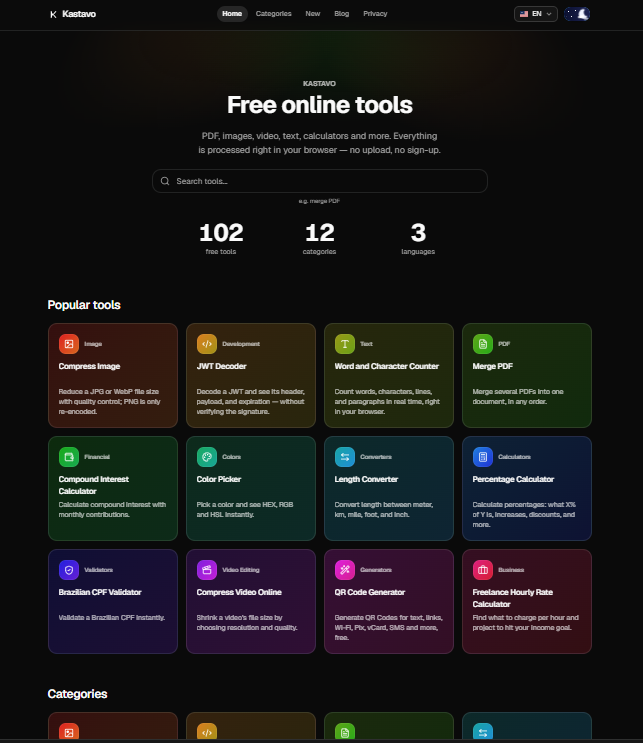
The idea starts right at the Home search. You type what you need — "merge PDF", "compress image" — and land on the right tool, no menus to dig through. That's just the convenience part. The important part comes next.
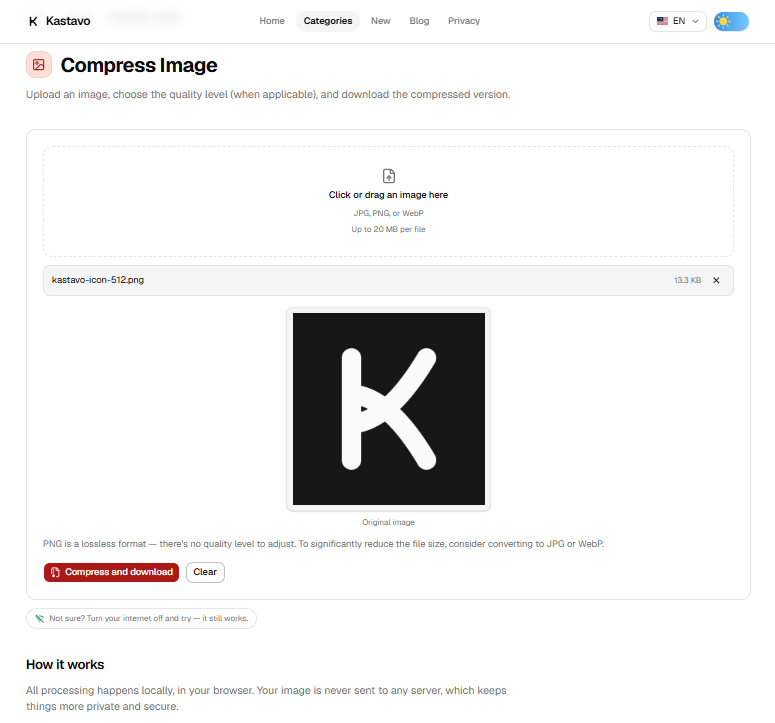
Notice that before anything is processed, you don't have to create an account or accept any hidden terms. You pick the file, the tool processes it right there, and you download the result. That's not a figure of speech — you can prove it.
You can prove it
Open your browser's developer tools (F12), go to the Network tab, and use any Kastavo tool with a file of your own. You'll see the page loading and, if the tool needs one, a JavaScript library — and nothing else. No request carries the contents of your file.
If you'd rather run a simpler test, that works too: turn off Wi-Fi, switch on airplane mode, and try the tool anyway. Apart from a few that download an extra component the first time (OCR, PDF-to-image conversion), the rest keep working with no internet at all — because they don't need it.
A nice side effect: speed
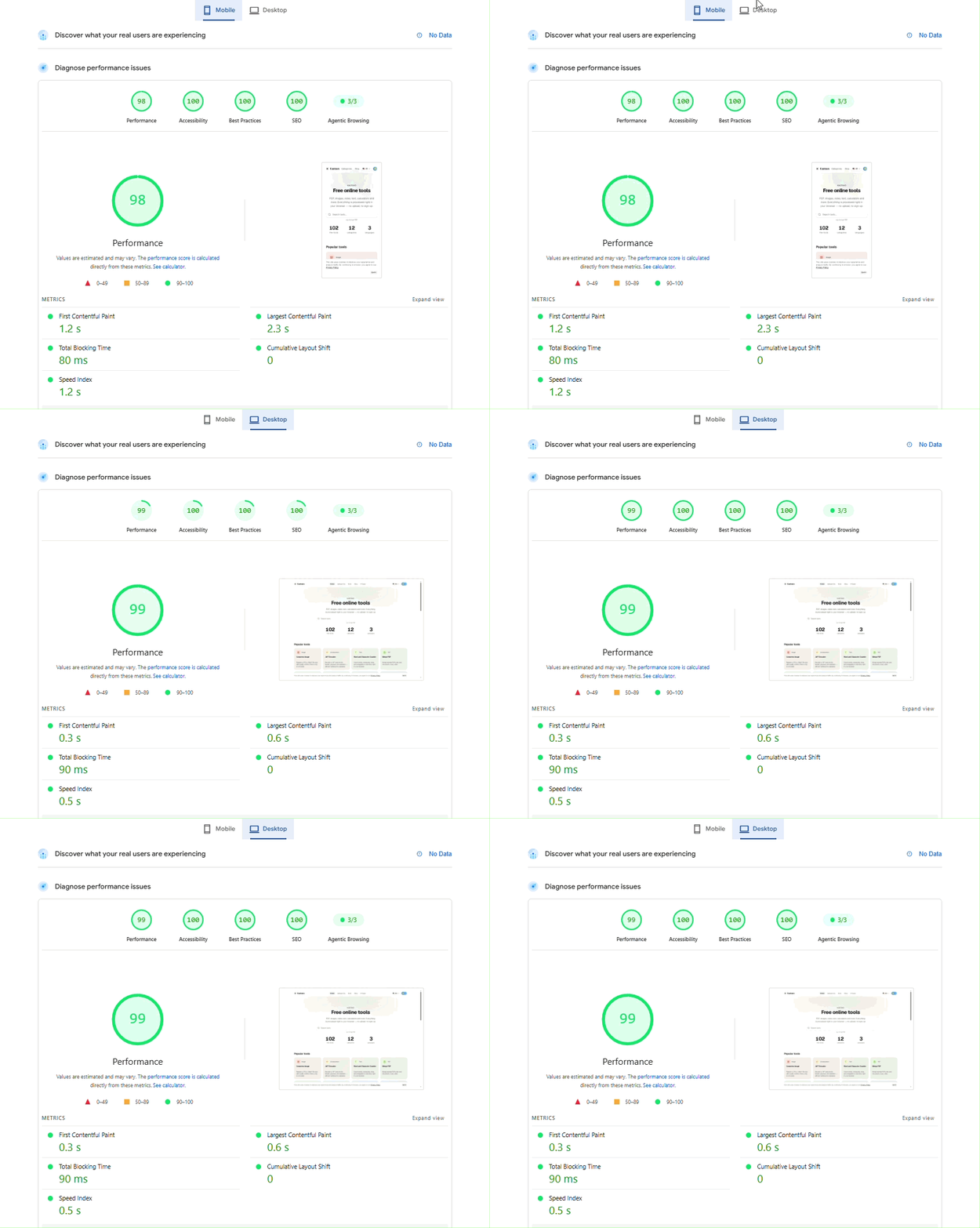
Building it this way had a nice side effect: the site is fast. With no server processing uploads, there's less work to do, and the focus can go to keeping what runs in your browser as light as possible. In the latest PageSpeed Insights test (Google's own performance tool), Kastavo scored 98 out of 100 for performance on mobile and 99 on desktop, plus 100 for accessibility, best practices and SEO.
This is the kind of thing I'd rather make verifiable than just promise. Kastavo will keep growing — more tools, more languages, this blog too — but this part doesn't change.
Frequently asked questions
Does Kastavo upload my files to a server?
No. The tools process the file inside your browser. You can check it in the Network tab of your developer tools (F12): no request carries the contents of your file.
Do the tools work offline?
Almost all of them. Once the page has loaded, just switch on airplane mode and use it. A few, like OCR and PDF-to-image conversion, download an extra component the first time.
Do I need an account?
No. You pick the file, the tool processes it right there, and you download the result.